
Where can I find my messages and documents in the WSP.NRW?
In order to view messages and documents that the competent authorities (e.g. the trade registration office) have written for you, you must first register on the Wirtschafts-Service-Portal.NRW (WSP.NRW).
Please note: Please log in with the registration option, with which you have also logged in for the application. This is either the BundID or the My Business account.
Below you will find a guide where you can find news and documents on our portal, including the receipt of your business registration (“Gewerbeschein”).
If you do not see the application despite the correct registration on the portal, please contact our technical support at: WSP-Support@digitales.nrw.de.
Register on the WSP.NRW
To view messages and documents, please log in to the WSP.NRW. To do this, click the Login button at the top of the page.
Alternatively, you can click here on the registration page.
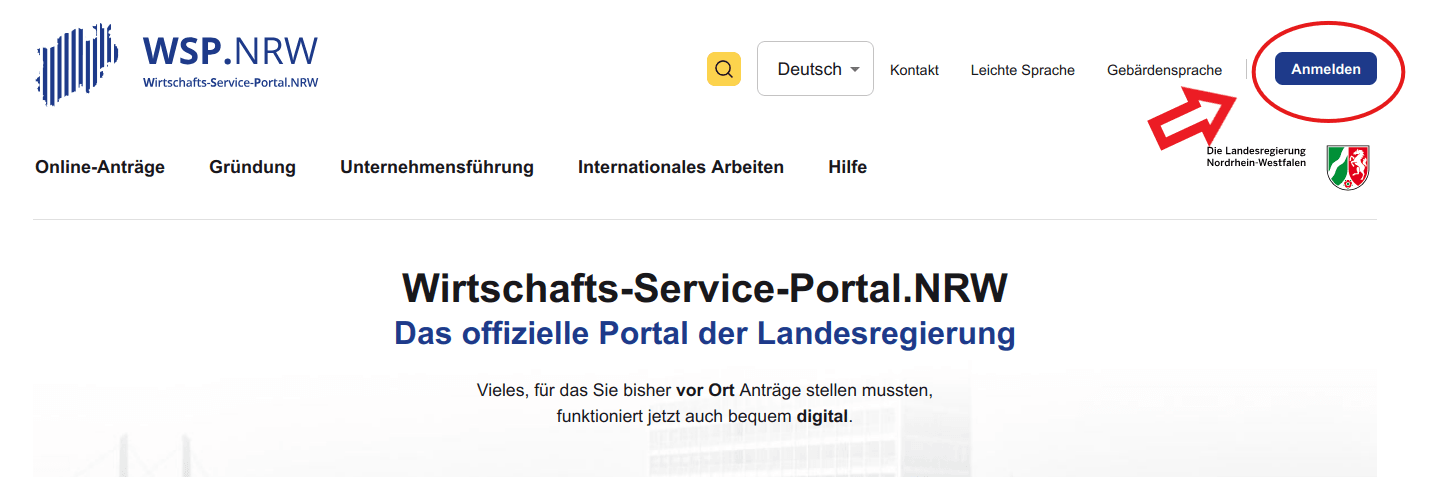
Please note that you
- the same account (BundID or the My Business account (e.g. via ELSTER certificate)) and
- use the same login option (e.g. username & password) when logging in,
which you also used when submitting your application.
[Here you can find more information about the user account on the WSP.NRW.](https://service.wirtschaft.nrw/help/user account/)
Variant BundID:
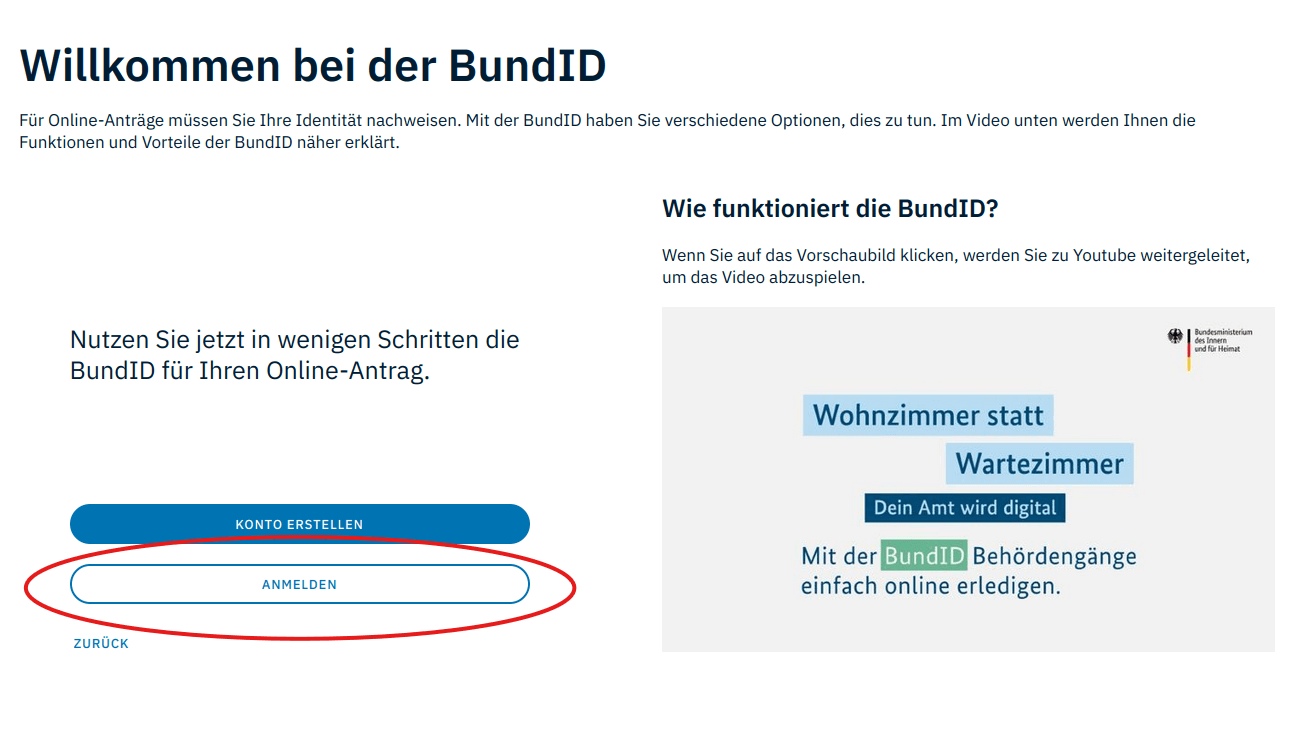
Selecting the login option:
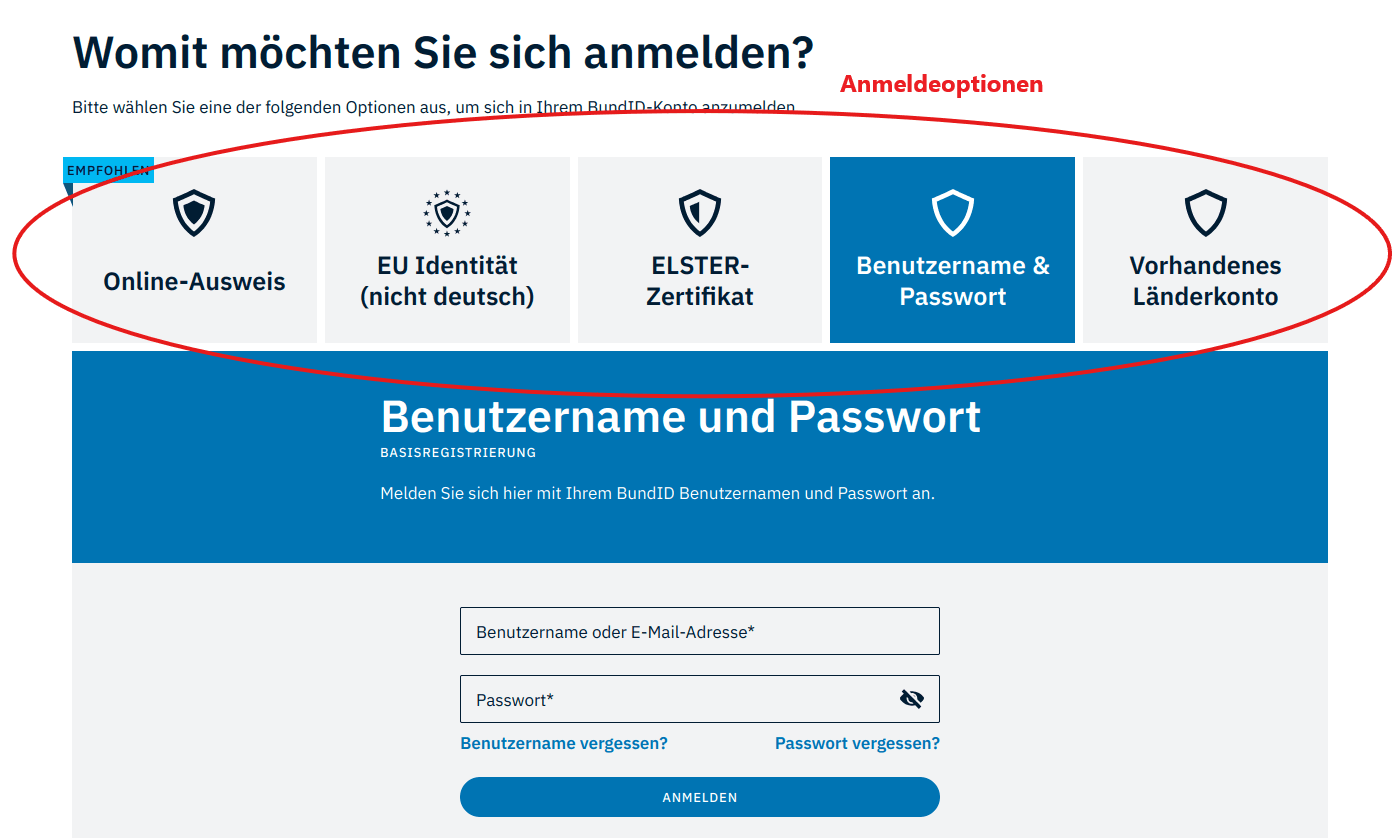
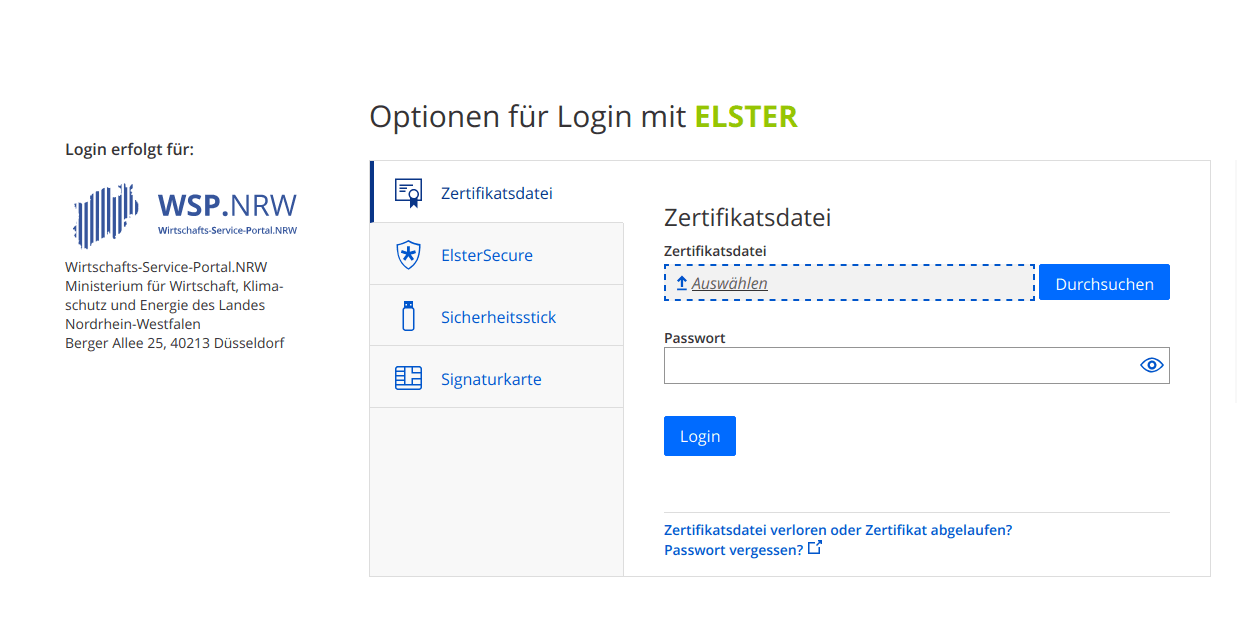
Variant My company account:
Return to WSP.NRW
After logging in, you will be automatically redirected back to the WSP.NRW.
Click on the blue field “My WSP” at the top of the page. After that, your account overview will open.
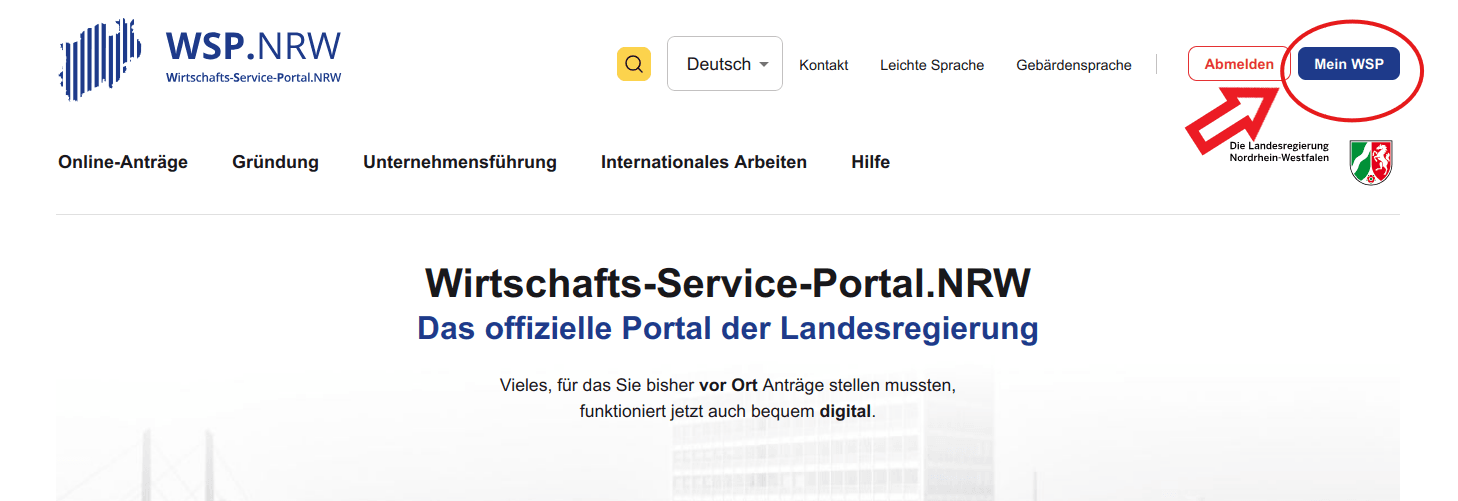
Your account overview
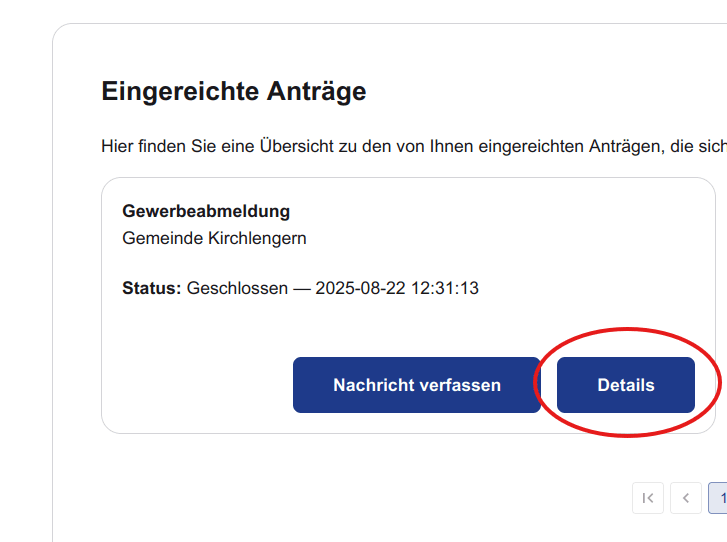
In your account overview, scroll down to the section ‘Requests submitted’, which is located at the bottom of the page. There you select your application and click on the button “Details”.
If your application is not displayed in your account overview, please contact the WSP.NRW technical support at: WSP-Support@digitales.nrw.de.
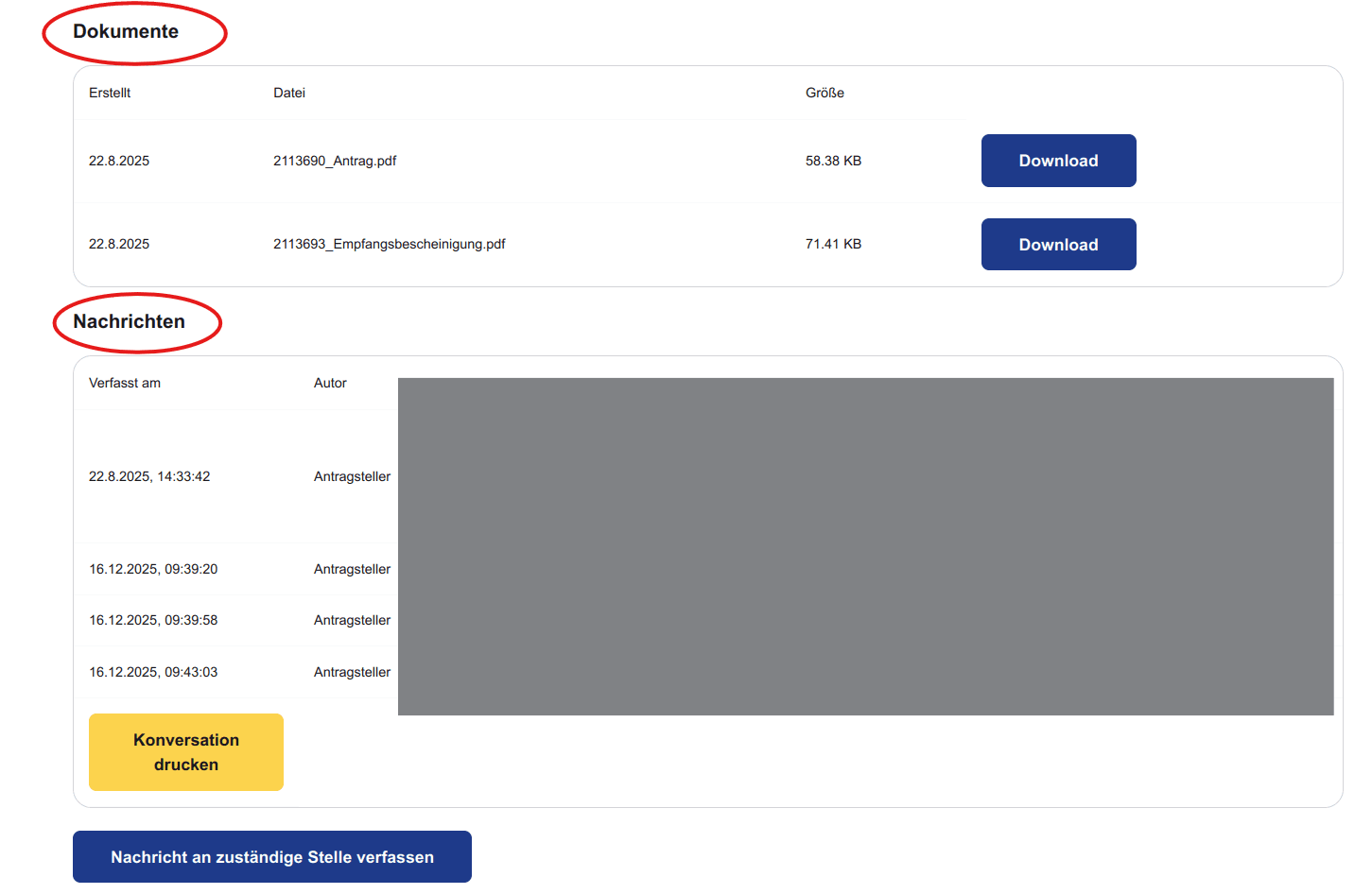
Documents and News
You will now be redirected to your application overview. Here you scroll again to the bottom section of the page under the headings ‘Documents’ and ‘News’.
In the ‘Documents’ section, you will find, for example, the receipt of your business registration ** (“Commercial Certificate”)**, but also your deferral notice on the application for instalment payment of the Corona economic aids as a PDF document for download.
In the "News" section, the body responsible for your application can submit queries to you.
Write a message
To write a message to the body responsible for your application, e.g. the Trade Office, or to reply to a message, click on the button "Write a message to the competent body". You can also upload documents and images.

Need additional help?
If you need additional help or have any questions regarding the content, please contact the office of the NRW Single Point of Contact.
[You can find the contact information here.](https://service.wirtschaft.nrw/help/uniform contact person/)
Cookies are used on this site.
This website uses cookies. Some cookies are technically necessary, others are used to analyze user behavior in order to optimize the offer. You can find an explanation of the cookies used in our Privacy Policy. You can also find further information in our Imprint.